
Create images around a character idea
The image generator is strongest when it serves a clear character direction: identity, style, clothing, emotion, and scene context.
AI Image
Generate anime character concepts, portraits, and scene ideas with a workflow built for original character creation.
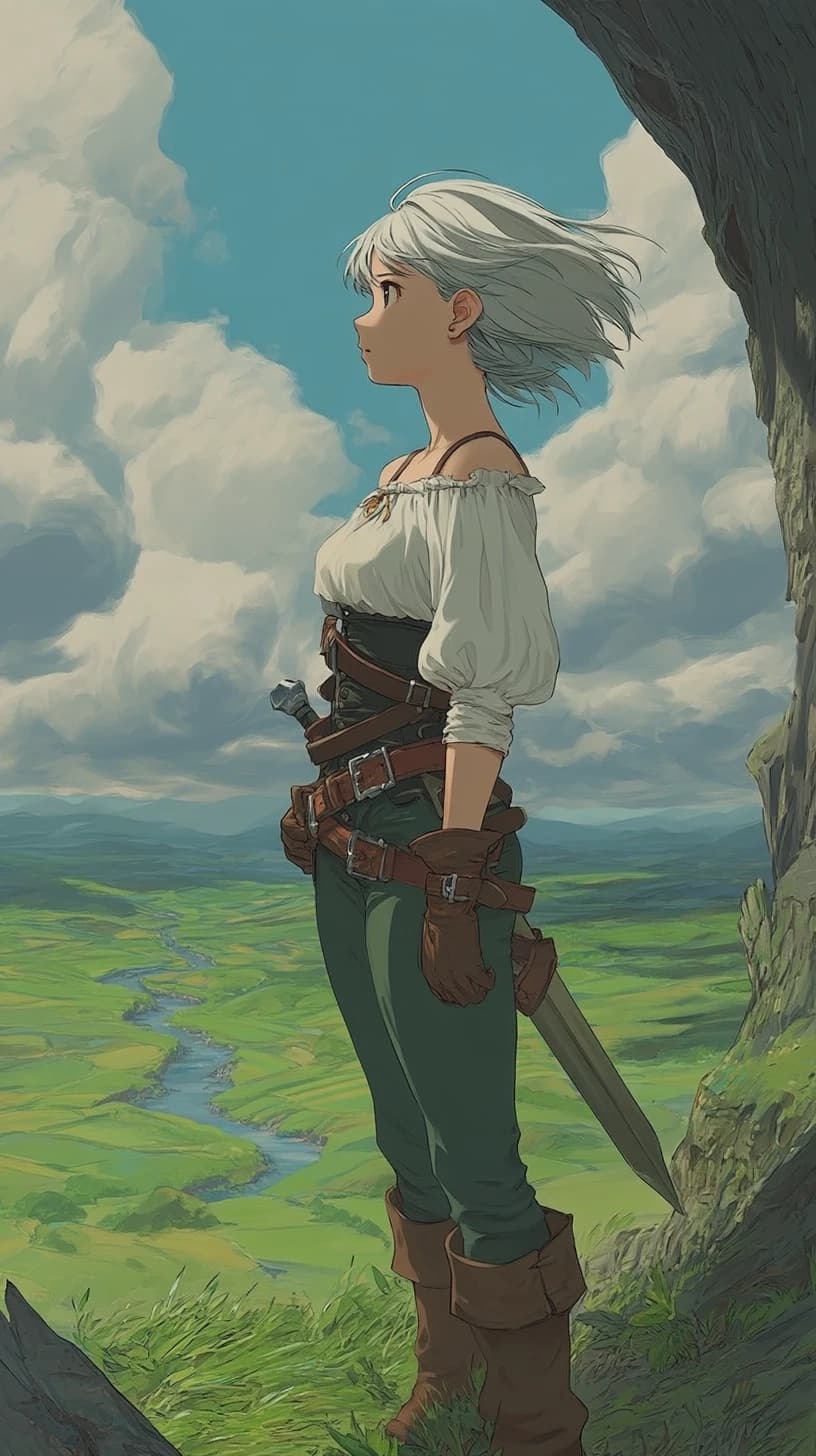
AI Image
AI Image Generator
Plan a polished anime image result, then open the generator with a clearer character, style, and scene direction.
Starter dashboard
Best for finished-looking anime art, creator thumbnails, OC portraits, and scene concepts.
Finished still-image creation
The emphasis here is polished still output: posters, portraits, thumbnails, and scene art that should feel closer to final than to exploration draft.
The image generator is strongest when it serves a clear character direction: identity, style, clothing, emotion, and scene context.
Compare multiple outputs to discover which colors, facial features, accessories, and backgrounds best support the OC.
It helps you translate a character or scene idea into a stronger finished-looking visual asset.
Shape the framing, lighting, and mood so the output feels like a key visual instead of a rough concept stub.
Keep the environment working for the character by using background, palette, and lighting as story support instead of distraction.
Generate alternate covers, banners, thumbnails, or profile art while keeping the same emotional read intact.
Creator use cases
This route fits teams and creators who need still art that can be used externally, not just reviewed internally.
Create a strong portrait or half-body visual that defines the look of a lead, rival, or promotional OC.
Develop polished images for social announcements, thumbnails, landing pages, or visual hooks tied to a character-driven project.
Pair a character with an environment, lighting scheme, and emotional beat that sells the larger world around them.
Final stills get better when you define the asset goal before you define the style adjectives.
Step 1
Know whether the output is a reveal image, a thumbnail, a poster, a scene illustration, or a profile visual before you write the brief.
Step 2
Match the pose, camera distance, lighting, and background to the kind of impact the image needs to have.
Step 3
Once the composition works, refine the details that improve finish quality rather than restarting the concept entirely.
The page is most useful when the image needs to carry real presentation weight.
The framing and mood guidance are better suited to images that need to be shown publicly, not only discussed internally.
The same core art direction can branch into portraits, banners, thumbnails, and story visuals without losing the character read.
Even when the environment is rich, the prompt planning keeps the viewer focused on the subject rather than the background noise.
The common pattern is turning a good idea into art that can actually be shipped, posted, or pitched.
Ash Patel
Indie marketer
"I use it when the image has to ship, not just inspire. The page keeps me thinking about asset purpose first."
Juniper Hale
Character illustrator
"It helps me decide how much atmosphere a finished still needs before the background starts stealing the scene."
Marco Flynn
Cover art freelancer
"The strongest part is the framing logic. Poster art, key art, and social art stop blending into one prompt."
Tessa Moon
Launch campaign designer
"I come here when a page hero needs to look intentional on day one instead of like a concept draft that slipped through."
Yara Kim
Merch creative lead
"It is useful for finding one visual direction that can branch into banners, covers, and thumbnails without losing the character read."
Nolan Price
App store artist
"The page forces me to define what the image is selling first. That makes every revision more disciplined."
Haru Benson
Promo illustrator
"I use it for polished character reveals because the composition work is stronger than on generic blank-canvas routes."
Elise Chen
Event poster designer
"It helps me shape a still that can carry mood and message at the same time, which is what promo art needs."
Mateo Wells
Music single designer
"When a cover needs to feel complete, this page keeps me from overtesting styles and underthinking the actual visual hook."
Sora Lane
Social content lead
"I like it for asset suites. Once the main image direction works, the variants stay much more coherent."
Priyanka Moss
Key visual producer
"It makes the still feel presentable earlier because the prompt starts from deliverable type, not random effects."
Carter Dinh
Fandom print seller
"I use it when an image needs enough polish to sell as art, not just enough novelty to look interesting."
These questions focus on final-looking still art, asset types, and how this route differs from other image pages.
Text-to-image is stronger for broad prompt exploration. This page is more about shaping a polished still asset once you know what kind of image you need.
Character portraits, key art, thumbnails, posters, and scene illustrations are all strong fits because they benefit from more deliberate framing and finish.
Yes. It works well when you want one visual direction that can branch into different still assets without losing consistency.
Open the AI Anime Generator and refine the highest-potential composition until the finish, mood, and character read all line up.
Related workflows
Once the still image direction is working, the nearby pages help you adapt it into other formats without losing the core visual read.
Image to Image
Use a reference image to guide anime character styling, visual consistency, and creative reinterpretation in Elser AI.
Text to Image
Turn a written character prompt into anime image concepts, then continue in Elser AI's anime generator for polished visual exploration.
AI Character Generator
Create original anime characters, test silhouettes and roles, and refine identity before continuing into Elser AI's OC Maker workflow.
AI Comic Generator
Turn character ideas into comic-style scenes, panel beats, and webtoon-ready story moments using Elser AI's comic generation workflow.
Move from planning into a fuller generation workflow and refine the character, composition, and mood into a stronger final image.