
Turn character stills into short clips
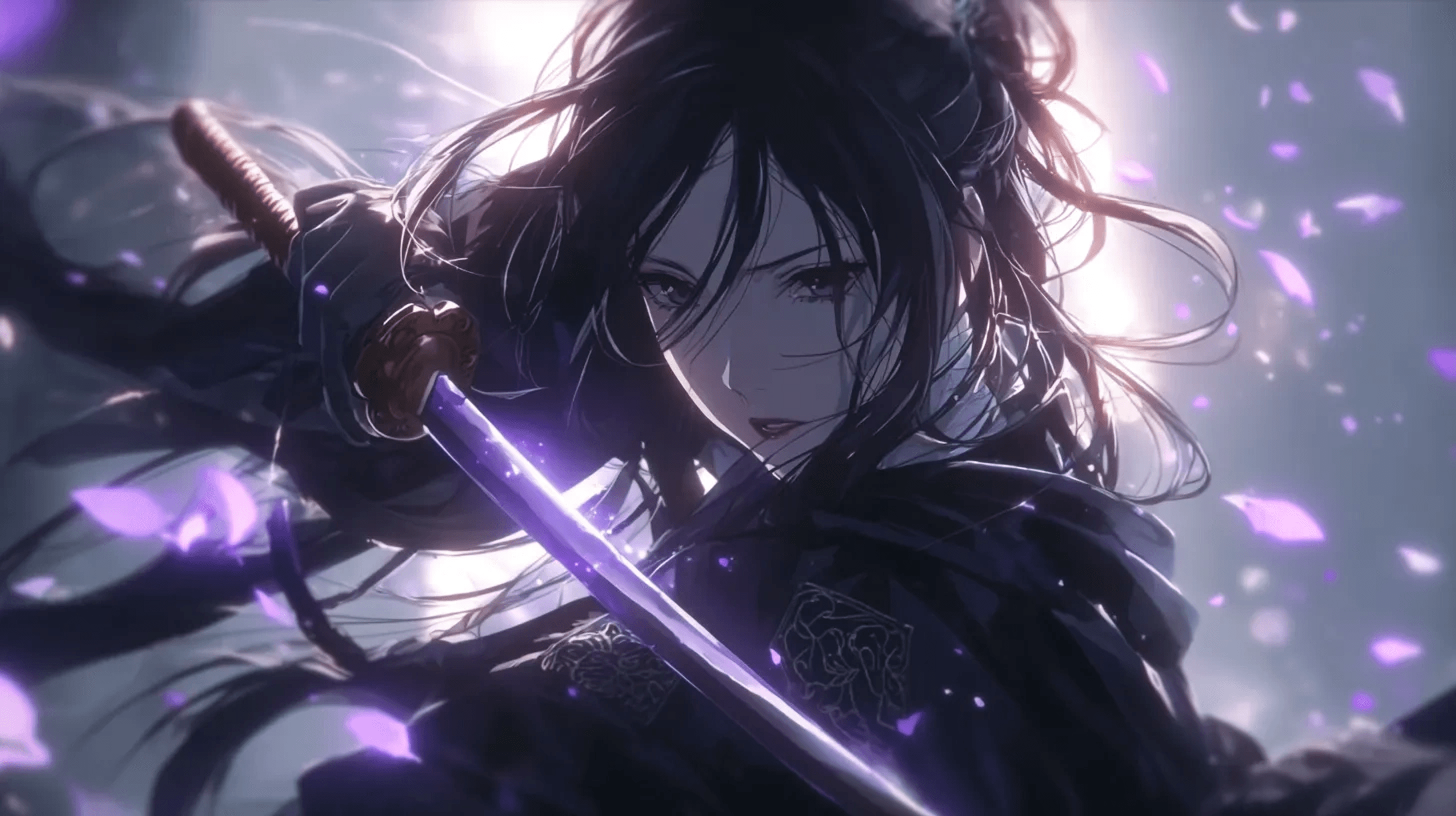
Kling 3 is useful when you already have a strong still image and want to test motion, camera push-ins, emotional beats, or action poses.
AI Video
Animate anime character images with Kling 3 when you want controlled motion, expressive pose changes, and creator-ready short clips.
AI Video
Kling 3
Controlled image animation
This route is strongest when you want to animate a strong portrait or scene with controlled movement, clear emotion, and better identity retention.
Kling 3 is useful when you already have a strong still image and want to test motion, camera push-ins, emotional beats, or action poses.
Clear action verbs and camera instructions help avoid vague movement. Describe what the character does and how the frame should move.
The model shines on short animation jobs that need steadier character continuity than a pure experimentation pass.
Animate a face, upper body, or strong still pose without asking the motion to overwhelm the source image.
Use it for subtle push-ins, glances, expression changes, and movement that should feel deliberate instead of chaotic.
It is a useful option when keeping the original character read matters as much as adding motion to the frame.
Creator use cases
These are the kinds of clips where continuity and restraint usually matter more than spectacle.
Create short loops for channel identity, creator pages, or animated profile assets that need steady character recognition.
Animate a smirk, glance, breath, or emotional beat when the face and upper-body acting should do most of the work.
Use a strong poster frame or portrait as the starting point and add motion without losing the composition that already works.
Kling performs best when the prompt respects what is already strong about the still image.
Step 1
Pick an image with a clear face, silhouette, and pose so the motion has a stable base to preserve.
Step 2
Ask for a glance, breath, tilt, camera drift, or small expression shift instead of a crowded action stack.
Step 3
Keep the version where the character still feels like the original image even if the motion is less flashy than other takes.
The main reason is controlled motion around a stable still image, especially for character-centric clips.
When the source image already sells the character, this route adds motion without forcing a total reinvention of the frame.
Small emotional movements often feel more effective than giant actions when the goal is personality rather than spectacle.
Avatar intros, promo snippets, and social-ready portrait motion all benefit from steadier visual continuity.
The win here is adding motion without breaking the original character read.
Marlowe Chen
Creator-brand animator
"I use Kling when the portrait already works and I just need motion that respects it."
Dev Singh
Reaction-clip editor
"It is great for glances, breaths, and tiny expression shifts that should not break the face."
Eri Sutton
Poster-to-motion artist
"This is the route I trust when the still image is doing the heavy lifting."
Camille Hart
Avatar intro designer
"I use it for creator-identity loops because the character stays recognizable instead of drifting."
Owen Castillo
VTuber asset editor
"It works best when the emotion is small but important. A subtle head turn reads beautifully here."
Mina Cho
Promo portrait animator
"The page helps me keep the original composition intact while adding just enough life."
Reese Dalton
Social portrait maker
"It is perfect for still-to-motion posts where continuity matters more than spectacle."
Kiko Barnes
OC sheet presenter
"I come here when I want a profile image to feel alive without reimagining the character."
Jordan Moss
Emotion-beat animator
"The restrained motion is exactly why I use it. Small acting choices survive better."
Poppy Lane
Cover loop designer
"It makes poster art easier to animate because the prompt does not have to fight the base frame."
Trevor Sato
Short intro producer
"I use Kling for polished loops when a dramatic push or expression beat is enough."
Nyla Reed
Character continuity reviewer
"It is the cleanest option when I need animation and recognition in the same clip."
These questions focus on character continuity, portrait animation, and how much motion to request from a still source.
Yes. It is especially useful when the face, upper body, or camera framing should stay readable while the clip adds a controlled layer of motion.
Simple prompts with one clear motion and one emotional goal tend to preserve the still image better than overcrowded action descriptions.
It can, but the biggest value of this route is often in controlled, polished motion around an already compelling still frame.
Look at identity retention, the readability of the expression shift, and whether the camera motion supports the source image instead of distracting from it.
Related workflows
Kling clips get better when the source image is strong, and they can later branch into more aggressive motion workflows if the project needs it.
Seedance 1.5 Pro
Use Seedance 1.5 Pro for fast anime character animation tests when you want quick motion drafts from a visual concept.
Seedance 2.0
Use Seedance 2.0 when your anime character concept needs expressive motion, dynamic framing, and short-form video exploration.
Veo 3.1
Explore cinematic anime-style motion, atmosphere, and camera direction with Veo 3.1 through Elser AI's image animator workflow.
Vidu Q3
Use Vidu Q3 for anime motion experiments, short scene tests, and character-driven video concepts in Elser AI.
Animate the still without sacrificing the character read, then refine the strongest clip inside the full workflow.